
HD Video Screen Mirroring Cast1.1 - Google Play
You'll be able to see results in few seconds.
Publisher Description


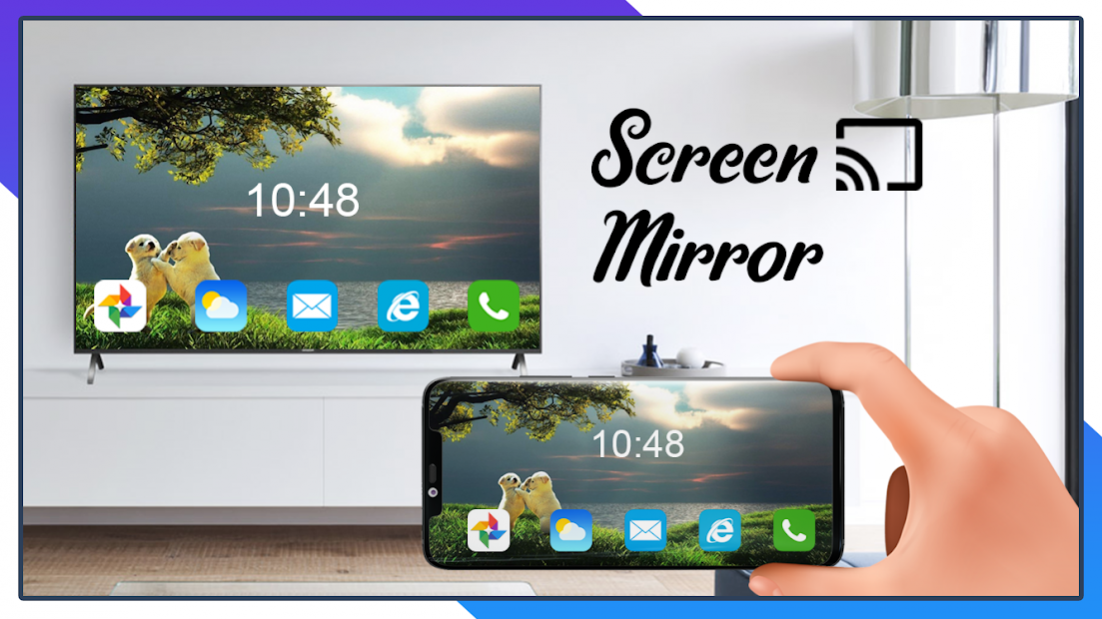
HD Video Screen Mirroring Cast will help you to scan and mirror your android phone or tablet screen on your Smart TV display. Enjoy your mobile screen contents or tablet screen in your smart tv screen using HD Video Screen Mirroring Cast to smart TV.
HD Video Screen Mirroring Cast is the most powerful app for mirroring and broadcasting your Android screen and audio in real time with high quality using HD Video Screen Mirroring Cast to smart TV.
HD Video Screen Mirroring Cast app mirrors entire mobile screen to your smart TV without any lag or buffering so you can Play Videos, Music and Photos very easily from your mobile. Sharing your screen with smart TV is very easy with Screen Mirroring with All TV casting. Screen Mirroring - Screen Casting Phone to TV app provides you a secure Encrypted connection between your mobile and TV to protect your data, files and applications with HD Video Screen Mirroring Cast to TV.
HD Video Screen Mirroring allows you to mirror your smart phone on TV screen with high quality. access all of your games, photos, videos and other application on a big screen using Mirror Screen to TV App.
KEY FEATURES of HD Video Screen Mirroring
• Cast smartphone screen to big TV screen stably
• Simple & fast connection with just a click
• Cast the mobile game to your big-screen TV
• Cast to TV, Live video on Twitch, YouTube and BIGO LIVE
• All media files supported, including photos, audios, E-books, PDFs, etc.
• Show demonstrations in a meeting, watch travel slideshowswith family
• Neat & clean user interface to create a good experience
• Screen share in real-time speed.
How to Use HD Video Screen Mirroring Cast app:
1. Make sure your phone/tablet and smart TV are connected to the same Wi-Fi network.
2. Enable “Wireless display” on your phone.
3. Enable “Miracast” on your smart TV.
4. Search and pair the device.
HD Video Screen Mirroring Cast app helps you cast phone and tablet to TV fast and stably. Cast to TV support most Smart TVs, DLNA Receivers and wireless adapters.
Best device support: Works with any device that has an integrated web browser, e.g. Samsung TV, LG TV, Panasonic TV, Hisense TV, Philips TV, Hitachi TV, Grundig TV, TCL TV
HD Video Screen Mirroring Cast - Screen Casting Phone to TV app provides you a secure connection to protect your data, files and applications.
HD video Screen Mirroring Cast to TV works great and is powerful on multiple devices like Chromecast, Roku, Xbox, Fire TV, LG TV, Samsung, and more.
All your devices are supported with HD video Screen Mirroring:
• Chromecast
• Roku, Roku Stick, and Roku TVs
• Most smart TVs: Hisense, Samsung, LG, Sony, Panasonic, TLC, Toshiba, etc.
• Xbox, FireTV, and Fire Stick
• Other DLNA receivers
Save your eyes from the small phone screen and enjoy big screen TV series shows in the family area. Download this stable TV mirror and screen share app!
HD Video Screen Mirroring you can cast to TV and make screen share with your family or friends in simple steps. HD Video Screen Mirroring Cast helps you cast a small phone screen to big TV screen in high quality and real-time speed.
HD Video Screen Mirroring Cast, If you are not having fun by looking at your small cellular phone screen, you will get a great big screen phone experience by connecting your phone to a TV screen with HD Video screen mirroring with all tv app.
When you're watching any shows with your family or in a group small mobile screen size will not be enough HD video Screen Mirroring casting to smart TV. Connect your android mobile with TV and enjoy it in larger screen. Your Smart TV should support wireless display for using hd video Screen mirroring feature.
About HD Video Screen Mirroring Cast
The company that develops HD Video Screen Mirroring Cast is Jaxon Solutions. The latest version released by its developer is 1.1.
To install HD Video Screen Mirroring Cast on your Android device, just click the green Continue To App button above to start the installation process. The app is listed on our website since 2022-03-14 and was downloaded 0 times. We have already checked if the download link is safe, however for your own protection we recommend that you scan the downloaded app with your antivirus. Your antivirus may detect the HD Video Screen Mirroring Cast as malware as malware if the download link to com.screenmirroring.castplay.smplayer is broken.
How to install HD Video Screen Mirroring Cast on your Android device:
- Click on the Continue To App button on our website. This will redirect you to Google Play.
- Once the HD Video Screen Mirroring Cast is shown in the Google Play listing of your Android device, you can start its download and installation. Tap on the Install button located below the search bar and to the right of the app icon.
- A pop-up window with the permissions required by HD Video Screen Mirroring Cast will be shown. Click on Accept to continue the process.
- HD Video Screen Mirroring Cast will be downloaded onto your device, displaying a progress. Once the download completes, the installation will start and you'll get a notification after the installation is finished.
Program Details
System requirements
Download information
Pricing
Version History
version 1.1
posted on 2022-03-14
Disclaimer
Official Google Play Link
We do not host HD Video Screen Mirroring Cast on our servers. We did not scan it for viruses, adware, spyware or other type of malware. This app is hosted by Google and passed their terms and conditions to be listed there. We recommend caution when installing it.
The Google Play link for HD Video Screen Mirroring Cast is provided to you by apps112.com without any warranties, representations or guarantees of any kind, so access it at your own risk.
If you have questions regarding this particular app contact the publisher directly. For questions about the functionalities of apps112.com contact us.
